Changelog
What we’ve built for your deliveries
Every STRIMY improvement, newest first. We build them for the videographer who delivers their work under their own brand.
71 updates since August 2025
Latest ·
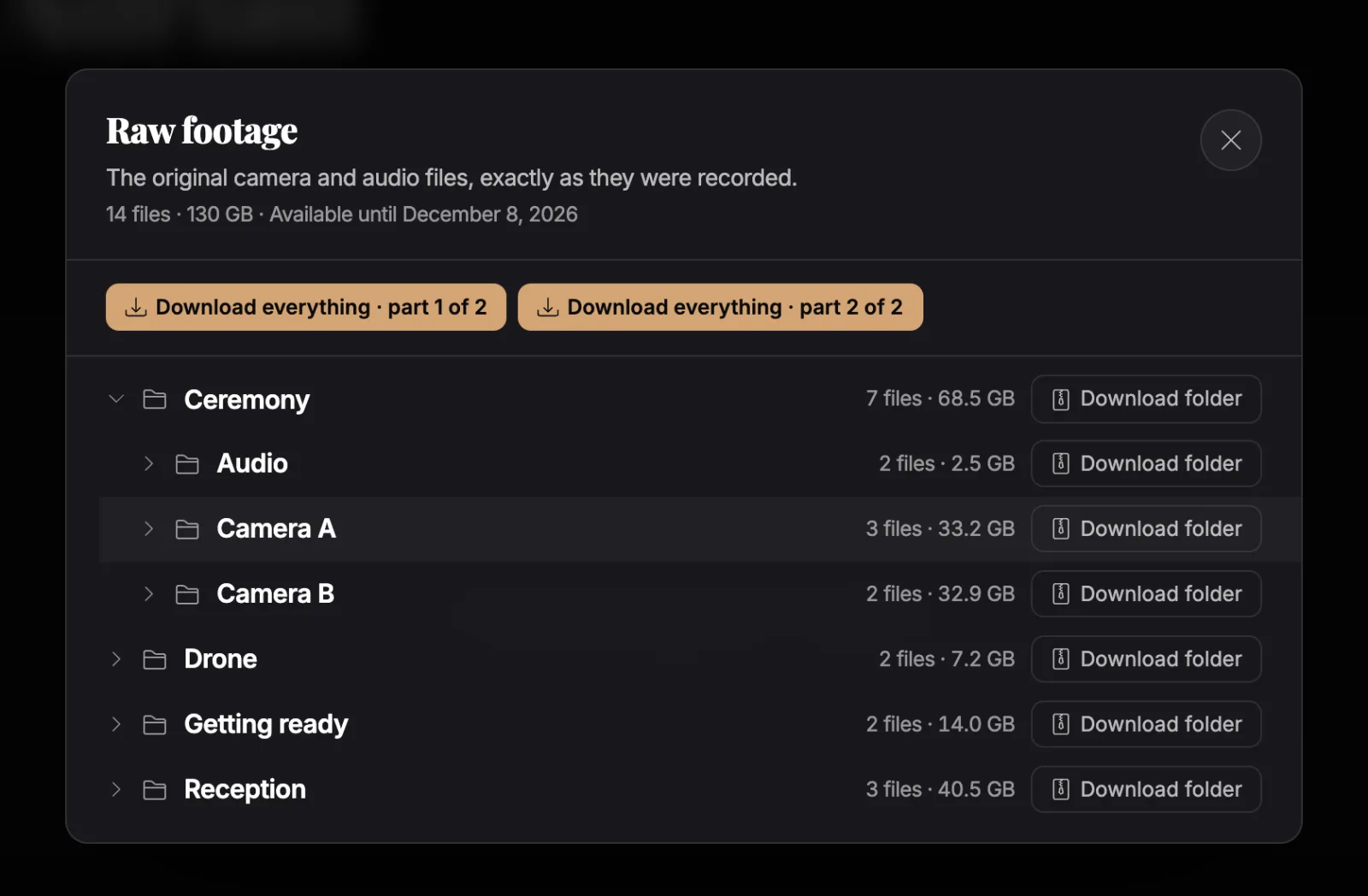
Deliver the raw footage too
Your couples download the camera and audio raw files from their portfolio: by folder or all at once, and the download resumes if interrupted. It is an add-on pack, separate from your plan, with its own storage and the expiry you choose.
New Delivery & portfolios
The big ones
-
Know when your client opens the delivery
Get an email and a dashboard notification as soon as your client opens their delivery link. Turn it on or off for each send.
-
Your colour and your logo on the player
Pick the player’s accent colour for your whole account or for each portfolio, with a live preview. On plans with white label, you can also place your logo over the image.
-
Send deliveries by email, with your brand
Send the portfolio to your clients from STRIMY in an email with your logo and colours, your own message templates and a live preview. If an email bounces, we let you know and you can resend it.
-
Portfolios redesigned for delivery
Videos open in a full-screen viewer with “Play all” and downloads close at hand. Pick a style for the occasion (wedding, event, corporate or documentary) and let the layout adapt to the number of pieces.
-
Portfolios with a private audience
Besides public or password-protected, a portfolio can be limited to a list of email addresses: each guest gets a personal, branded access link, and you can revoke it at any time.
-
STRIMY apps for iPhone and Android
Browse your videos, projects, portfolios and share links from your phone, and edit titles, descriptions and visibility wherever you are.
-
Adaptive quality up to 4K
Every video is prepared in several qualities, up to the original resolution, 4K included. The player picks the best one for each viewer’s connection so playback stays smooth.
-
Private links with password and expiry
Share any video through a clean delivery link with a password, an expiry date and optional download, and switch it off whenever you like.
No updates in this area yet.
October 2026
3 updates
-
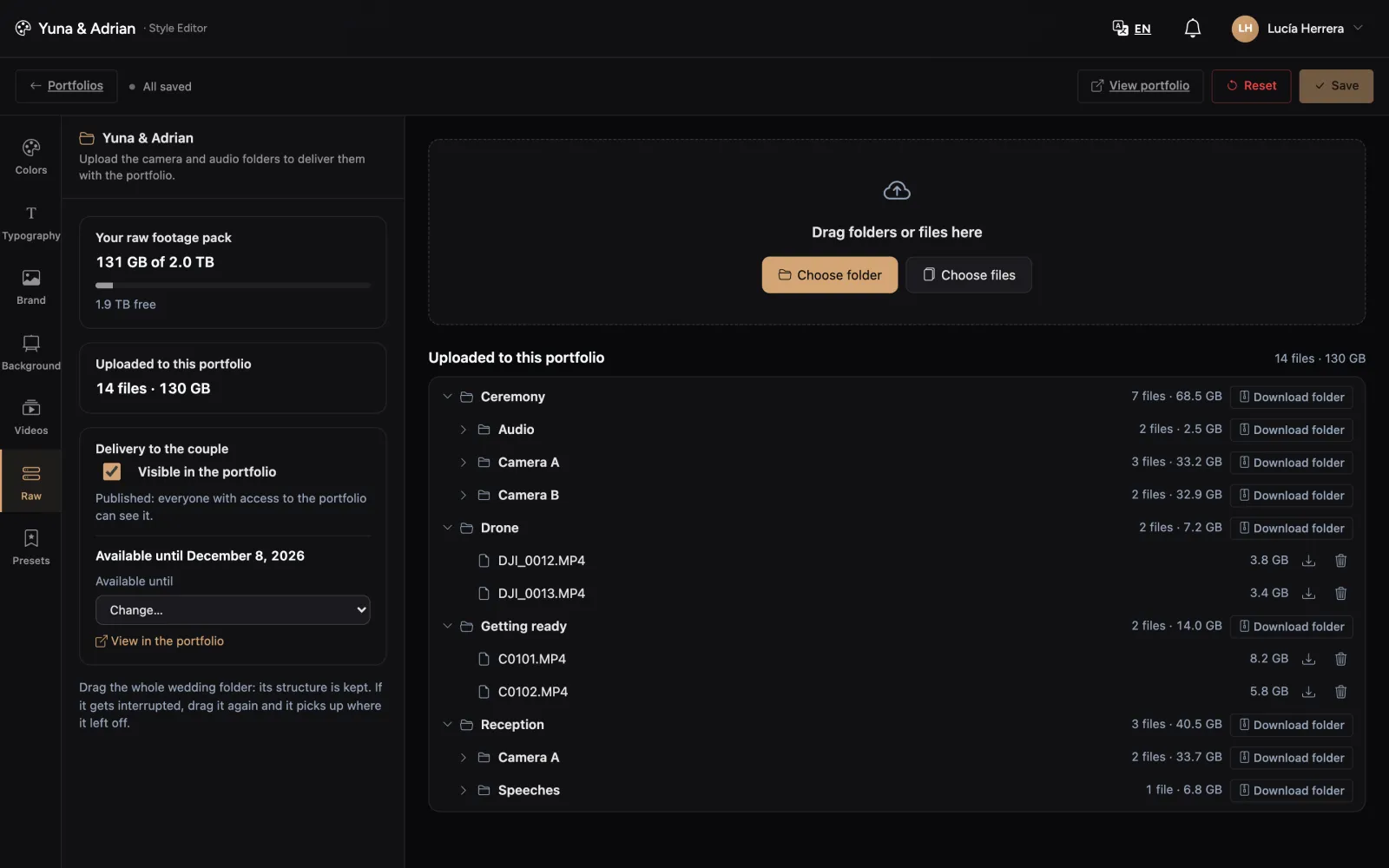
Upload whole folders and resume if interrupted
With the raw footage pack, drop the wedding folder as it is: its structure is kept, each file can be up to 500 GB, and an interrupted upload picks up where it left off.
-
Deliver the raw footage too
Your couples download the camera and audio raw files from their portfolio: by folder or all at once, and the download resumes if interrupted. It is an add-on pack, separate from your plan, with its own storage and the expiry you choose.
-
Files up to 15 GB
Upload masters of up to 15 GB per file, both for new videos and when replacing an existing one.
September 2026
4 updates
-
Headings and links in delivery emails
Format your delivery message with headings and links (to your reviews, for example) from a toolbar right above the message.
-
Views from Instagram and Facebook
Plays from the in-app browsers of Instagram and Facebook on Android are now always counted in your stats.
-
Faster start on slow connections
The player starts sooner on slow connections and switches quality more cleanly, without preloading more than it needs.
-
Know when your client opens the delivery
Get an email and a dashboard notification as soon as your client opens their delivery link. Turn it on or off for each send.
August 2026
13 updates
-
Three player styles
Choose between three player designs for all your videos. With white label, you can also decide whether your logo sits on the image or as a signature in the control bar.
-
Clearer, branded password screen
The password screen speaks your client’s language and explains that the password comes from you. With white label, it shows your logo instead of STRIMY’s.
-
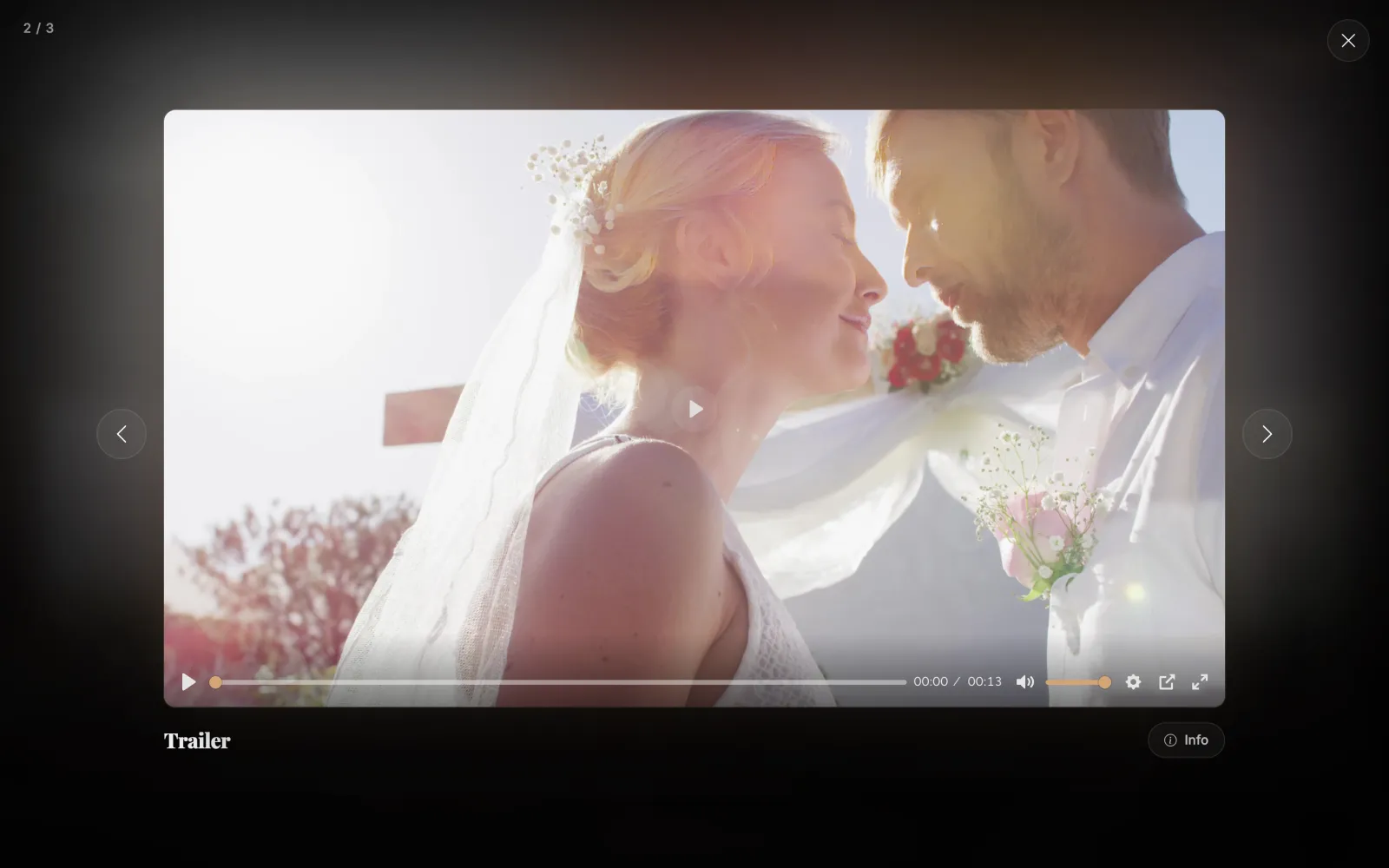
Your colour and your logo on the player
Pick the player’s accent colour for your whole account or for each portfolio, with a live preview. On plans with white label, you can also place your logo over the image.
-
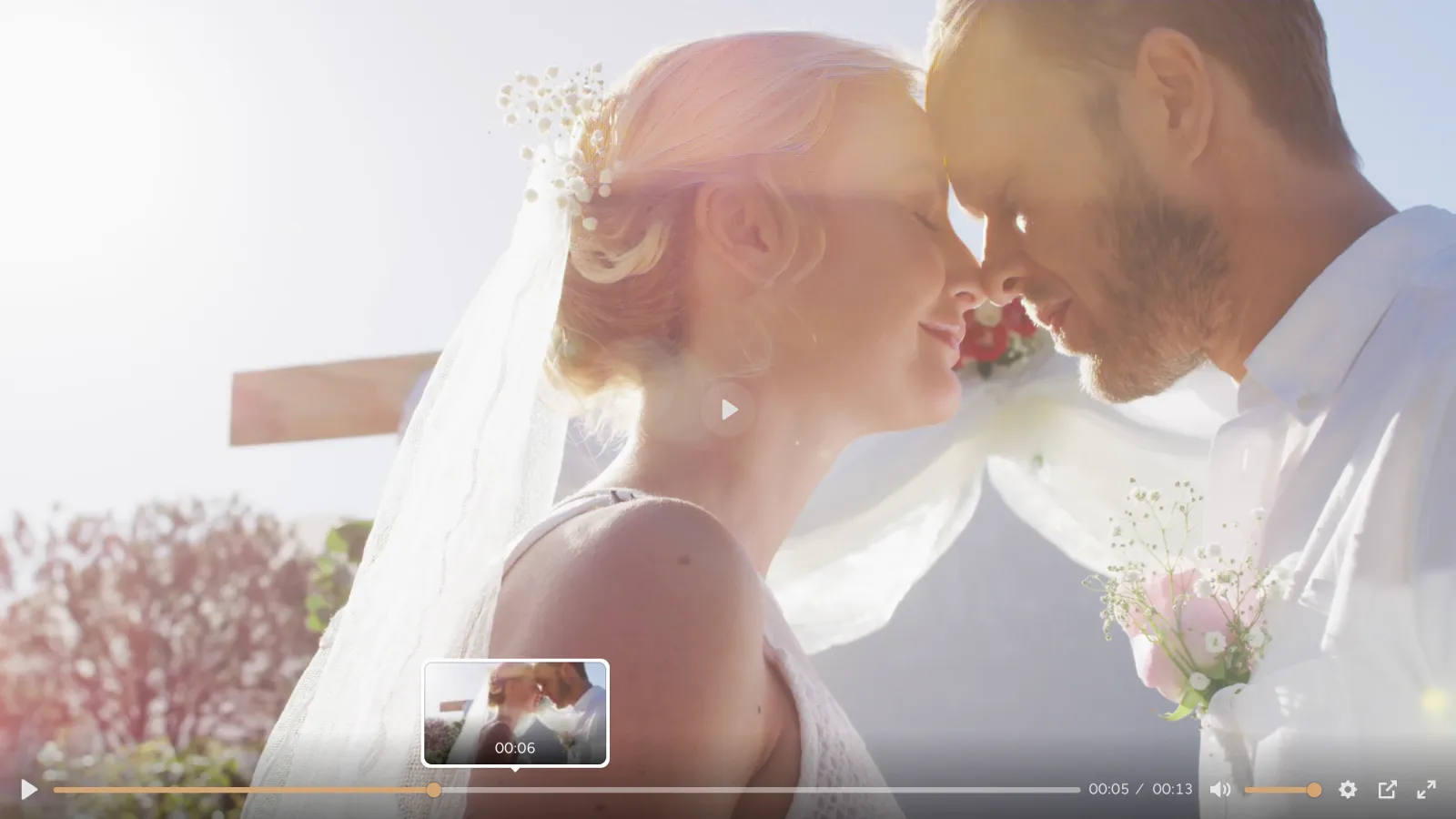
Thumbnail preview when scrubbing
When dragging along the progress bar, your clients see the frame at each point and find their favourite moment faster.
-
Full H.265 support
H.265 (HEVC) videos, like those from an iPhone, are accepted without re-exporting. If a file uses an unsupported format, we tell you before the upload starts, not after.
-
Auto quality that fits the screen
In auto mode, the player picks the quality that matches its size: it loads faster in a small window and still reaches 4K in full screen. It also no longer relies on third-party services to start.
-
Link previews in WhatsApp and social apps
When you paste a share link into WhatsApp, Slack or an email, it now shows its image and title. Password-protected videos still reveal no frame at all.
-
Master downloads no longer cut off
Multi-GB downloads now have plenty of time to finish on slow connections, and if one is interrupted, your client can try again.
-
Track each delivery, person by person
See for each recipient whether the email arrived, whether they opened the link and whether they downloaded their video, with bots left out.
-
Send deliveries by email, with your brand
Send the portfolio to your clients from STRIMY in an email with your logo and colours, your own message templates and a live preview. If an email bounces, we let you know and you can resend it.
-
30 days to retrieve your originals
If your subscription ends, you can still log in for 30 days to download the original files of your videos.
-
Download counter without bots
Automated downloads from search engines and bots are no longer counted, so the number you see reflects downloads by real people.
-
Videos up to 3 hours long
The maximum length per video is now 3 hours, enough for full ceremonies and documentaries in a single piece.
July 2026
5 updates
-
Monthly or yearly billing
You can now choose between monthly and yearly billing and compare both options right on the plan cards.
-
Card payments and a subscription portal
New payment system: pay by card and manage your subscription and payment method from a secure portal.
-
Portfolios ready for vertical video
A new card ratio setting (auto, 16:9, 9:16 or 1:1). In auto mode, the portfolio adapts to whether your pieces are horizontal or vertical.
-
Cleaner, faster portfolios
Your clients no longer see view counters (they stay in your dashboard) and delivery pages load faster. The editor drops settings that had no effect.
-
Folders to organise your portfolios
Group portfolios and collections into folders in your dashboard and reorder them by dragging. Only you can see these folders.
June 2026
5 updates
-
Background tint colour and sharper thumbnails
Choose the colour of the tint over your portfolio’s background image or video. Cards now also use higher-resolution thumbnails.
-
STRIMY TV for Apple TV
Your clients can watch their portfolio on the big screen with the STRIMY TV app for Apple TV by entering the portfolio’s 12-character code.
-
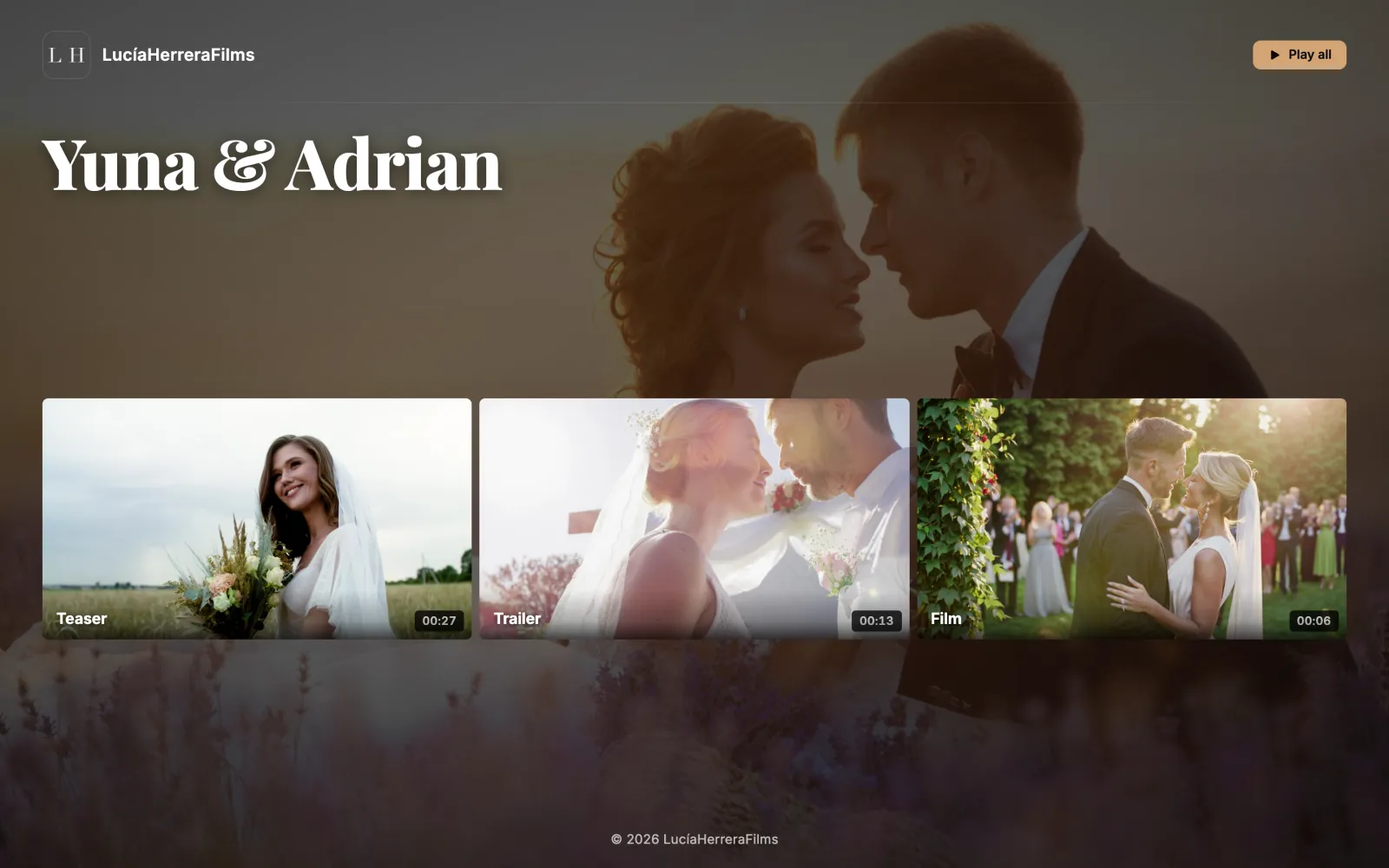
Portfolios redesigned for delivery
Videos open in a full-screen viewer with “Play all” and downloads close at hand. Pick a style for the occasion (wedding, event, corporate or documentary) and let the layout adapt to the number of pieces.
-
API to grant and revoke portfolio access
Connect your shop or automations to grant, revoke and check a client’s access to a private portfolio, using API keys limited to that task.
-
Light theme in every template
All six portfolio templates now support a light or dark theme, with better contrast and readability.
May 2026
7 updates
-
Portfolios with a private audience
Besides public or password-protected, a portfolio can be limited to a list of email addresses: each guest gets a personal, branded access link, and you can revoke it at any time.
-
Stats for every portfolio
Every portfolio and collection has its own stats tab: views, unique viewers, watch time, completion, top videos, countries and devices.
-
Vertical phone videos, always upright
Videos shot vertically on iPhone or Android are processed with the right orientation, and .mov and H.265 files are accepted without needless warnings.
-
STRIMY apps for iPhone and Android
Browse your videos, projects, portfolios and share links from your phone, and edit titles, descriptions and visibility wherever you are.
-
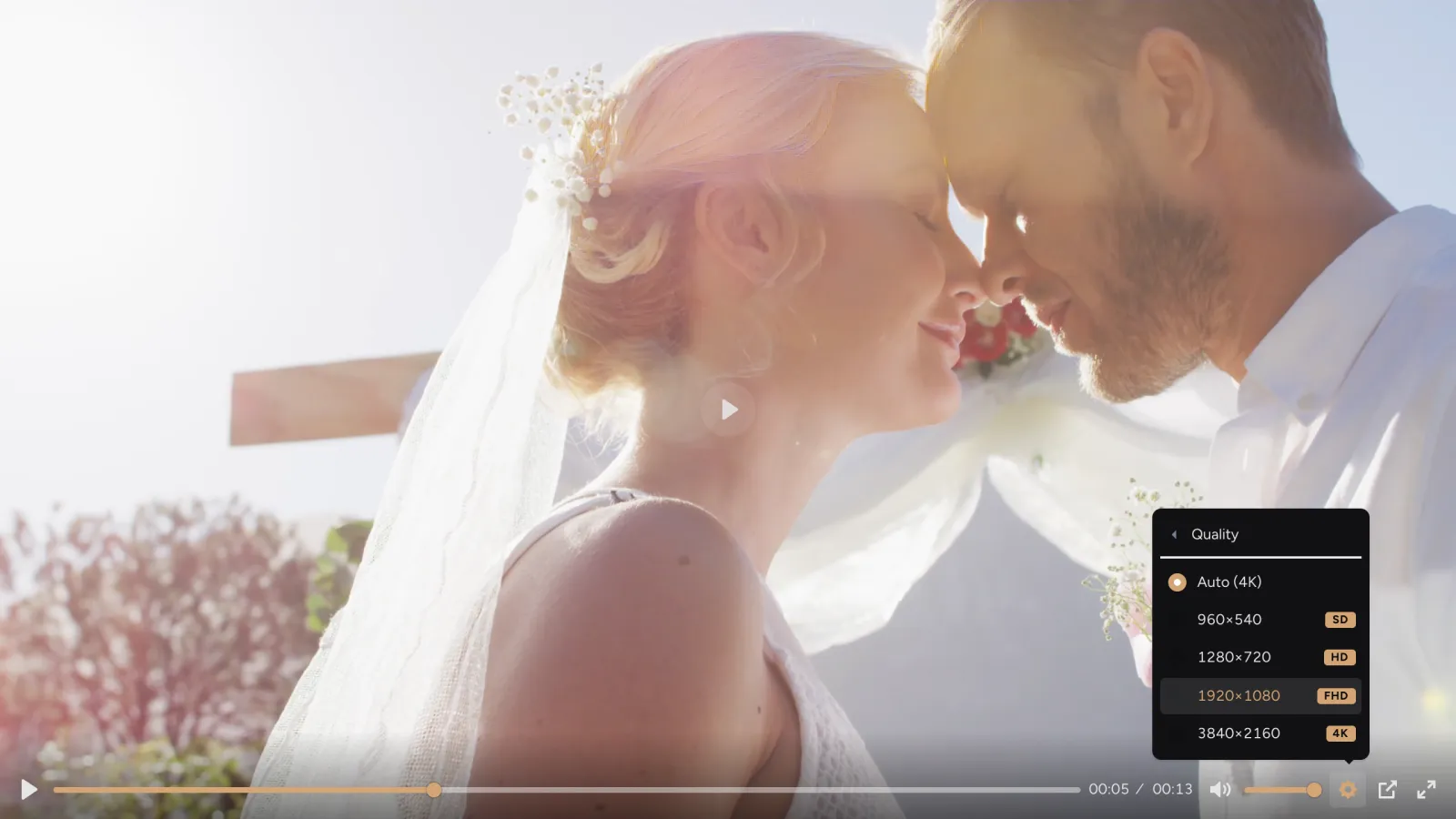
Adaptive quality up to 4K
Every video is prepared in several qualities, up to the original resolution, 4K included. The player picks the best one for each viewer’s connection so playback stays smooth.
-
Visual editor for collections too
Collections that group several portfolios now use the same editor: background, typography and search, with a live preview.
-
A snappier dashboard with instant alerts
The dashboard has been rebuilt so you can move around without reloads, get real-time notifications and switch language instantly.
April 2026
6 updates
-
All your share links in one place
A new dashboard section gathers your share links with their status and expiry, so you can turn them on or off in one click.
-
New portfolio manager and editor
Manage your portfolios in a two-pane view and edit their style with a live preview and autosave.
-
Private links with password and expiry
Share any video through a clean delivery link with a password, an expiry date and optional download, and switch it off whenever you like.
-
Where your views come from
Stats now show where each view came from (share link, portfolio, profile or external site) and your busiest day of the week, and let you choose the time range.
-
Projects to organise every job
Group each wedding’s or job’s videos into projects with folders, move them by dragging (several at once, too) and create the delivery portfolio straight from the project.
-
Official plugin on WordPress.org
The STRIMY plugin for WordPress is now in the official directory: install it from your own WordPress and embed your videos by pasting their link.
March 2026
10 updates
-
Thumbnail from any frame
Pause the video at the exact moment and turn it into its thumbnail without leaving the dashboard.
-
Downloads on single videos
Allow a specific video to be downloaded from its public page, without having to put it in a portfolio.
-
Search in portfolios and collections
Your clients can find any video by title or description, even across a whole collection. In portfolios, search is switched on from the customisation settings.
-
International sign-up and clear taxes
Sign-up adapts to your country (company and tax ID optional outside Spain) and you see the tax breakdown before paying.
-
Embed full portfolios on your website
Copy the code of a portfolio or collection and show it inside your own website, video navigation included.
-
Editable publish date
Change each video’s publish date so your work appears in the order you prefer.
-
Real-time processing progress
While your video is being processed, the dashboard shows the actual progress instead of an estimate.
-
AirPlay now works properly
You can now send your videos to an Apple TV or an AirPlay-compatible TV without playback issues.
-
More control over your brand
Adjust the logo size and save your styles as presets to reuse them across all your portfolios.
-
Faster video processing
We’ve rebuilt video processing, so your uploads are ready to play much sooner.
February 2026
4 updates
-
A new dashboard design
The dashboard gets a warm dark design, with a home screen that sums up your videos, views, storage and plan at a glance.
-
New 720p quality
Videos now include a 720p version that starts faster and uses less data on phones and modest connections.
-
STRIMY in your language
Your account remembers your language, Spanish or English, and the notices we send you arrive in that language.
-
English invoices outside Spain
If your billing address is outside Spain, your invoices are issued in English.
December 2025
3 updates
-
Replace a video without changing its link
Upload a new version of a video you’ve already delivered and it updates everywhere it’s shared or embedded, with no new links to send.
-
Upload several videos at once
Drop several videos at once and they upload in parallel, each with its own progress bar.
-
Visual style editor for portfolios
Customise each portfolio’s colours, fonts, logo and background (image or video) and see the result instantly.
October 2025
2 updates
-
Two new templates: Carousel and Overlay
More ways to present your work: a horizontal video carousel and a layout with text overlaid on the image.
-
Vertical video in its true shape
Vertical videos are shown in their real aspect ratio in the player, in portfolios and when embedded on other sites.
September 2025
2 updates
-
Design templates for your portfolios
Choose from several templates to present each portfolio to your clients with the look that best suits the work.
-
Pick your thumbnail from several frames
Each video generates several automatic thumbnails so you can choose the one that represents it best.
August 2025
7 updates
-
Change plans whenever you want
Upgrade or downgrade from your dashboard; whatever is left on your previous plan is credited to your balance.
-
Viewing stats
See how many times each video has been watched, for how long and from which countries.
-
Custom thumbnails
Upload your own image as the thumbnail for any video.
-
Developer API
Create API keys from your dashboard and access your videos and their status from your own tools.
-
Faster uploads
Large files are uploaded in several parts at once, so heavy masters get there sooner.
-
WordPress plugin and auto-embedding
Paste a STRIMY video link into WordPress (with our plugin) or other compatible platforms and it embeds itself, full screen included.
-
Downloads from portfolios
Turn on downloads for a portfolio so your clients can take their videos in original quality, and track downloads in your dashboard.
Not delivering with STRIMY yet?
Try it with your next delivery: branded portfolios, a professional player and downloads for your clients.