You know who watched the lesson. And who didn't
Each student signs in with their email, not with a link forwarded around the WhatsApp group. And you see who opened each lesson, how much they watched, and who dropped off halfway.
7-day trial · 1GB included · No credit card

The video side of your training, without building a whole platform
STRIMY is not an LMS: no quizzes, no certificates. It handles the video, which tends to be the weakest part of every LMS.

Recorded courses
The lessons of a course you sell. Hosting them on YouTube as "unlisted" means the link ends up outside; on Drive, the student downloads 2 GB before seeing anything.
- Each student signs in with their email
- Plays instantly, no download
- Revoke access when the course ends

Academies and training centres
One space per course or per cohort, with its own access. The September group's material does not need to be visible to the March one.
- An independent space per course or cohort
- Password and expiry per space
- No cost per student

Internal training and onboarding
The mandatory training you have to evidence. Here the record of who completed each video is not something you request: it is in the stats.
- Who completed each lesson and who did not
- The library stays there for whoever joins later
- No ads and no recommended videos at the end
What it actually solves
No showcase features — this is what you will use every week.
Access per student
You add each person by email, with expiry and revocation. If someone leaves the course, they lose access.
Tracking per person
Who opened each lesson, how much they watched and whether they reached the end. The difference between assuming they studied and knowing it.
No ads, no recommendations
The video ends and stays there. No advertising over your lesson and no grid of other people's videos afterwards.
Organised by module
Folders and subfolders to structure course → module → lesson, in the order you decide.
No cost per student
You pay for the storage you contract. Twenty students or two thousand, same bill.
Embeds in your platform
Embed code, oEmbed and a free WordPress plugin, if you already have your site or LMS set up.
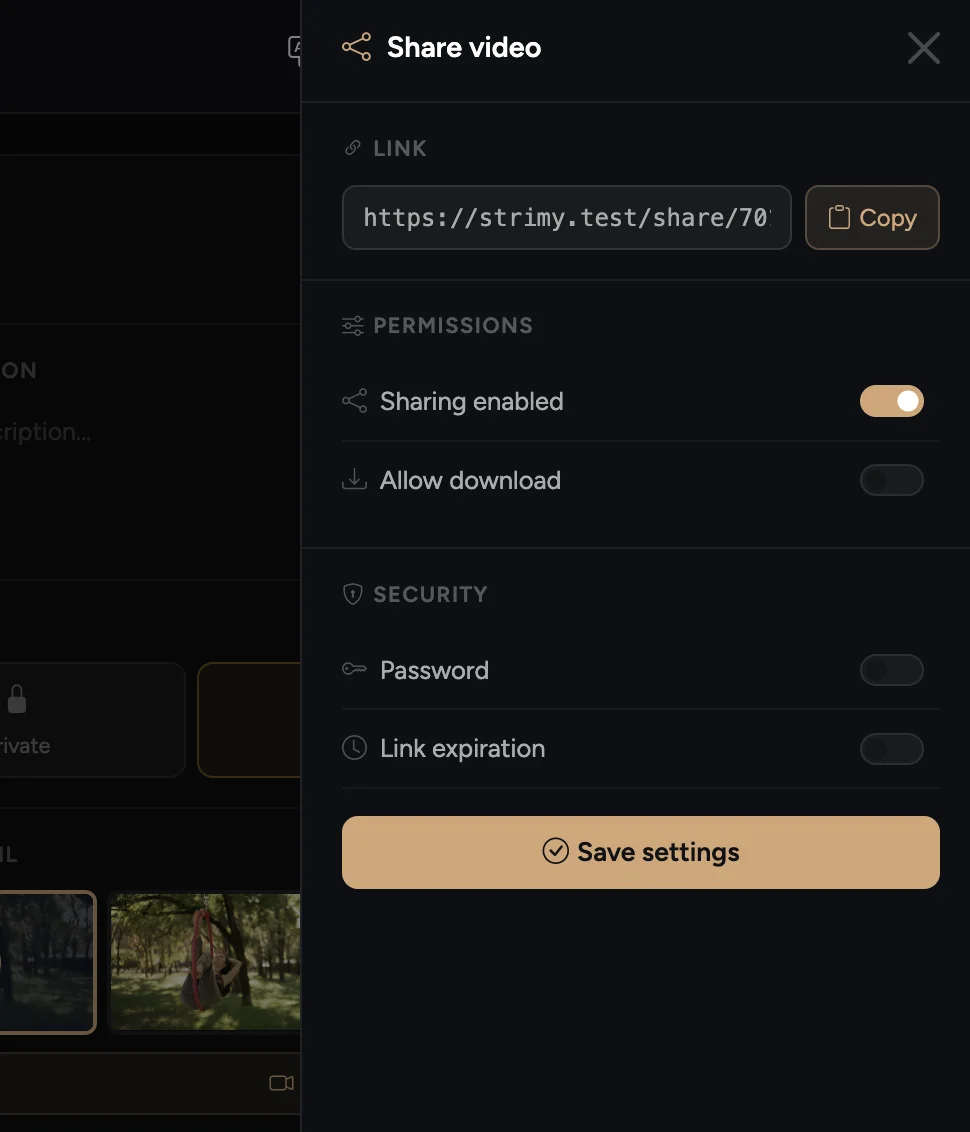
You decide who gets in, not the link
You add each student by email and they get their own access. It is not a shared password that ends up in a WhatsApp group: if someone leaves the course, you remove their access without touching anyone else's.
- Add and remove per person, with expiry
- The student does not have to sign up for anything
- Nothing is indexed by search engines
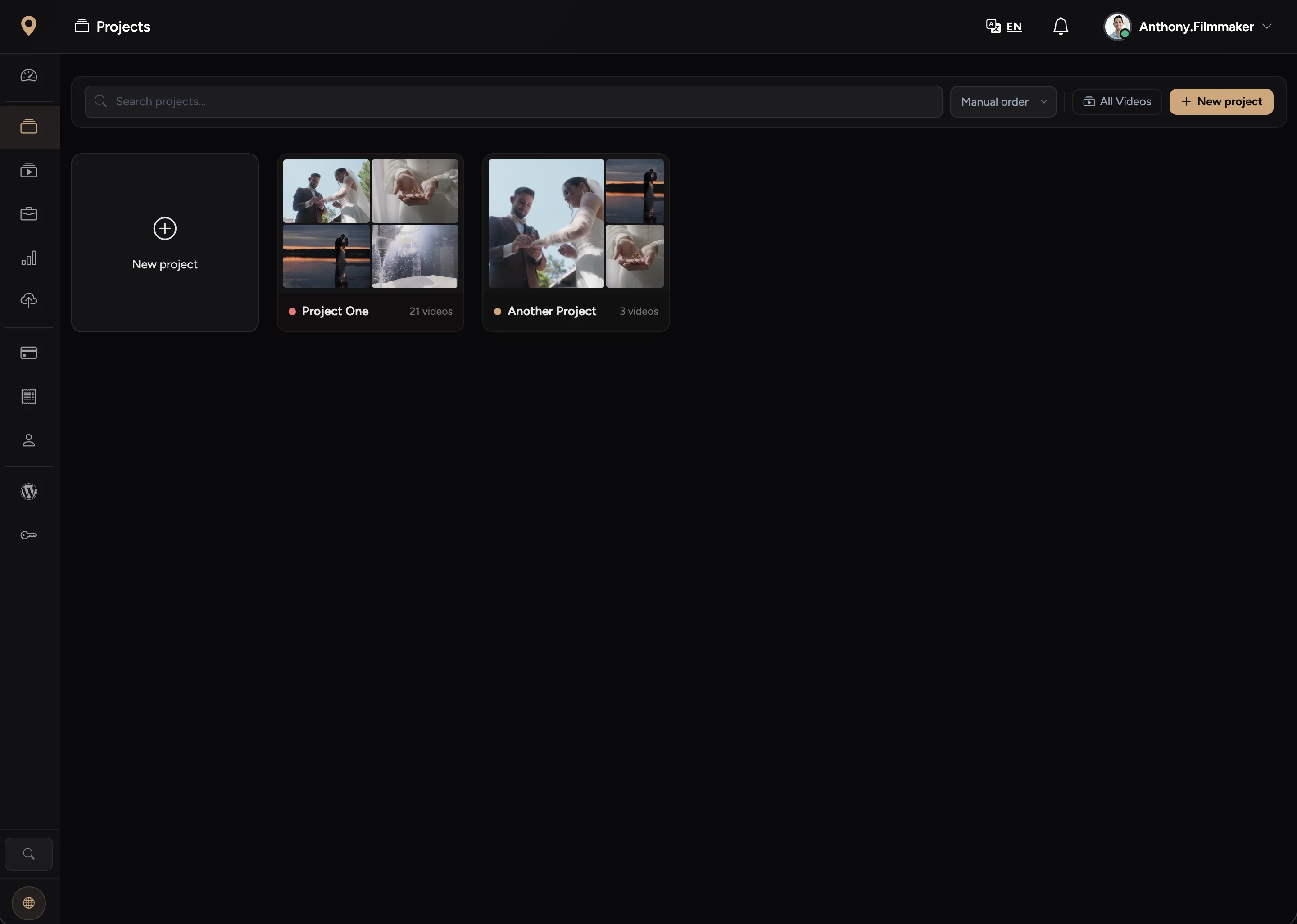
Course, module and lesson in their place
Nested folders and manual ordering so the student finds lesson three of module two without hunting. Each space can have its own look, useful if you run several different courses.
- Unlimited folders and subfolders
- Manual ordering of lessons
- A different look per course if you need it
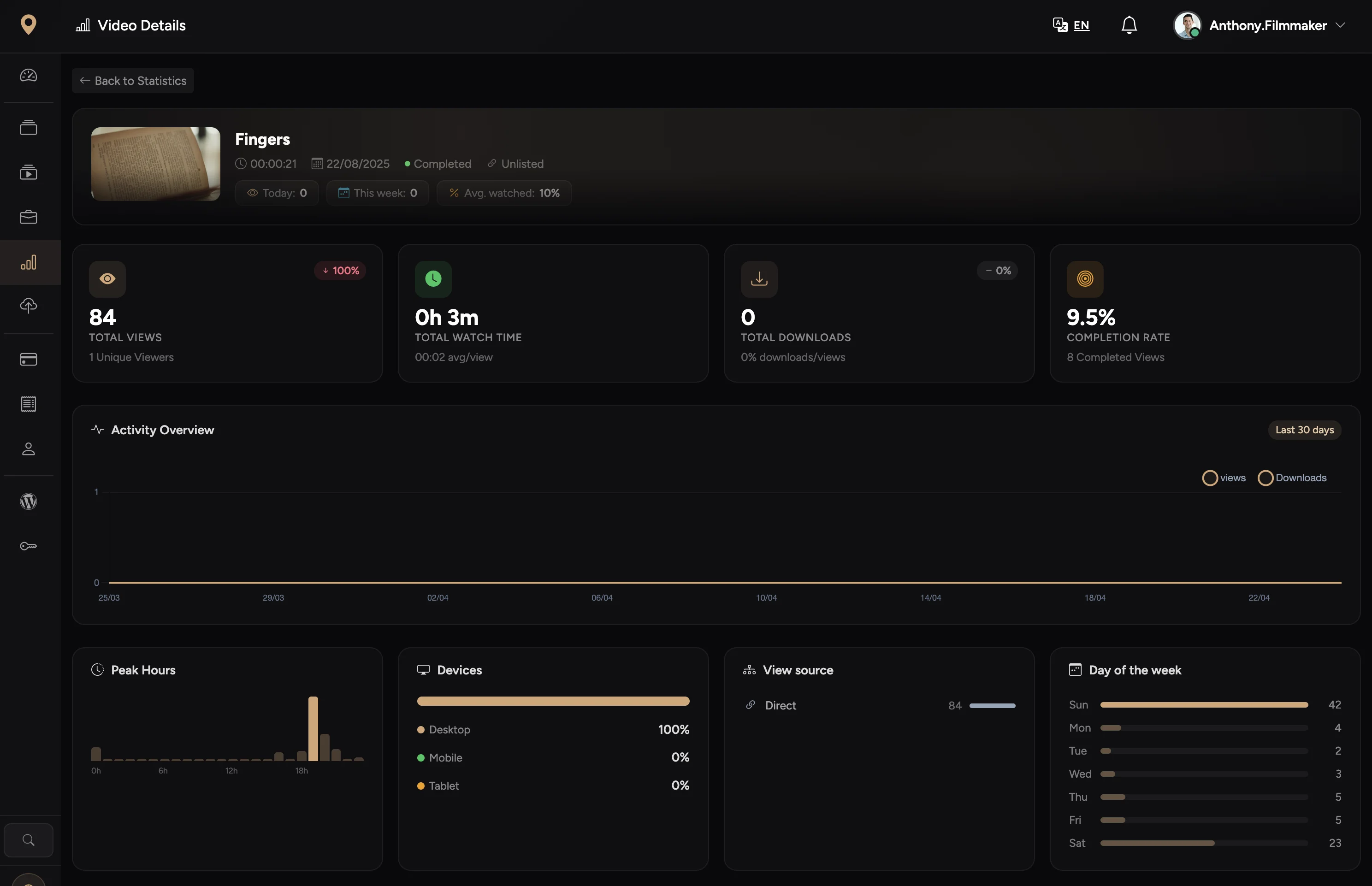
Know who studied, don't assume it
For each lesson you see who opened it, how long they stayed and whether they reached the end. It shows you where people drop off: if 70% abandon lesson four, the problem is lesson four.
- Watch time and completion rate per student
- Breakdown by country, device and link source
- Included on every plan, no add-ons
Frequently asked questions
What trainers and academies ask us
Stop asking whether they watched the lesson
Upload the first lesson and give your students access in under ten minutes. 7 days free, no card.